VWAP+

TrackTicks VWAP+

A VWAP that resets when your trading day starts, not when the exchange says it does.

VWAP that resets when your own session actually starts, not just the exchange default, with up to six independent deviation bands layered on top.
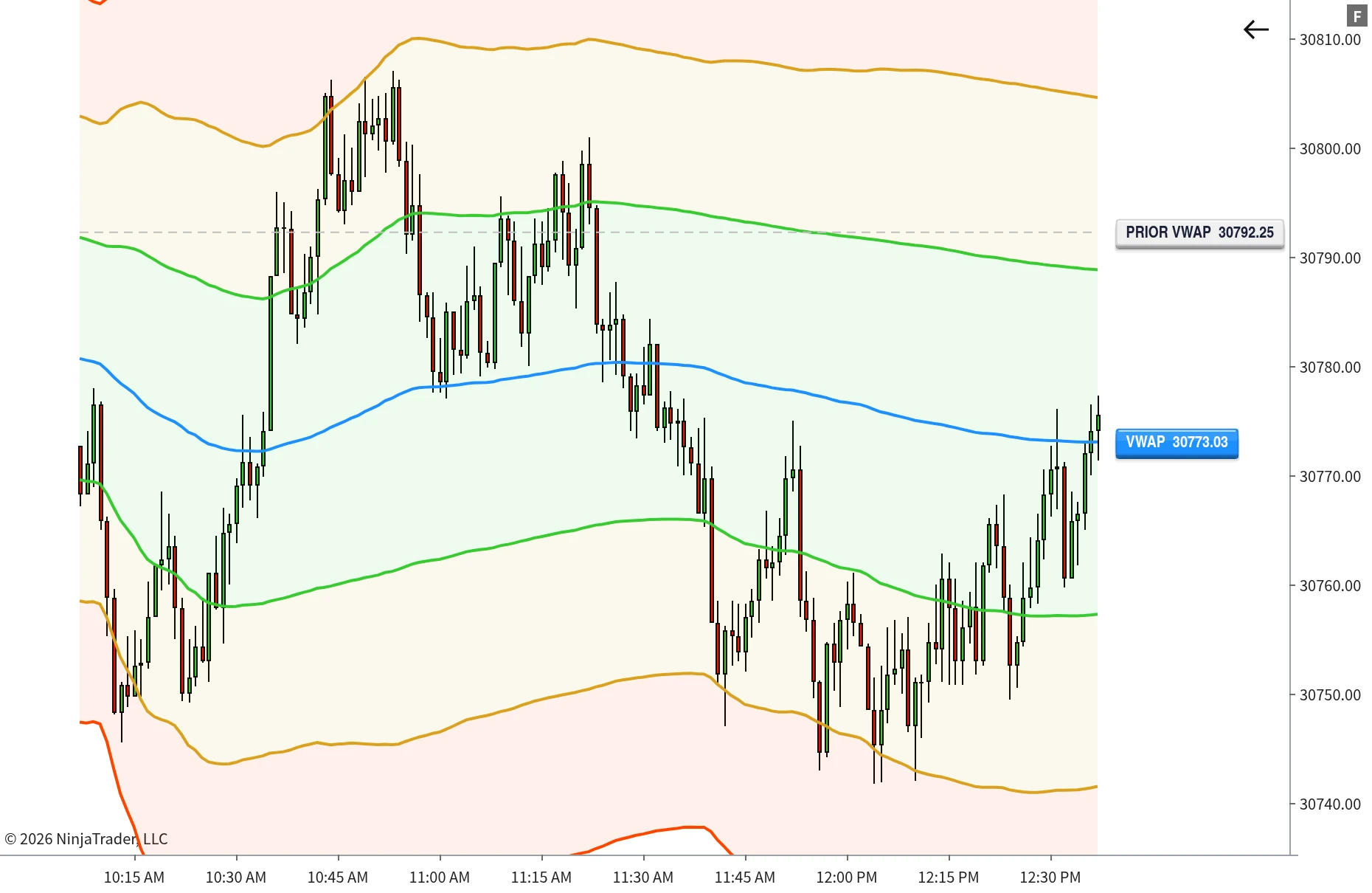
TrackTicks VWAP+ multi-session VWAP with deviation bands on a NinjaTrader 8 chart
Setup

How It Works

Set your windows, switch on what you want to see.

1

Set your sessions

Enable one to four slots and give each a start and end time. VWAP resets the instant the chart crosses into each window.

2

Turn on the bands you want

Each of the six deviation bands has its own toggle. Run a bare line, one band, or a full envelope.

3

Style it to your chart

Colour, thickness, fill and opacity are independent per band, plus the VWAP line and the prior-session line.

How it behaves

Automatic handoff

When one window ends and the next begins, VWAP+ hands over on its own. No overlap, no gap, no manual switching.

Flat between sessions

When the current bar falls outside every enabled window, VWAP holds at its last calculated value rather than drifting or erroring out.

Minimal until you say otherwise

Out of the box only the main VWAP line is on. Every band, the dynamic colouring and the prior-session line all ship off.

Overview

What it does

VWAP+ builds a volume-weighted average price around your trading day, not the default exchange session.
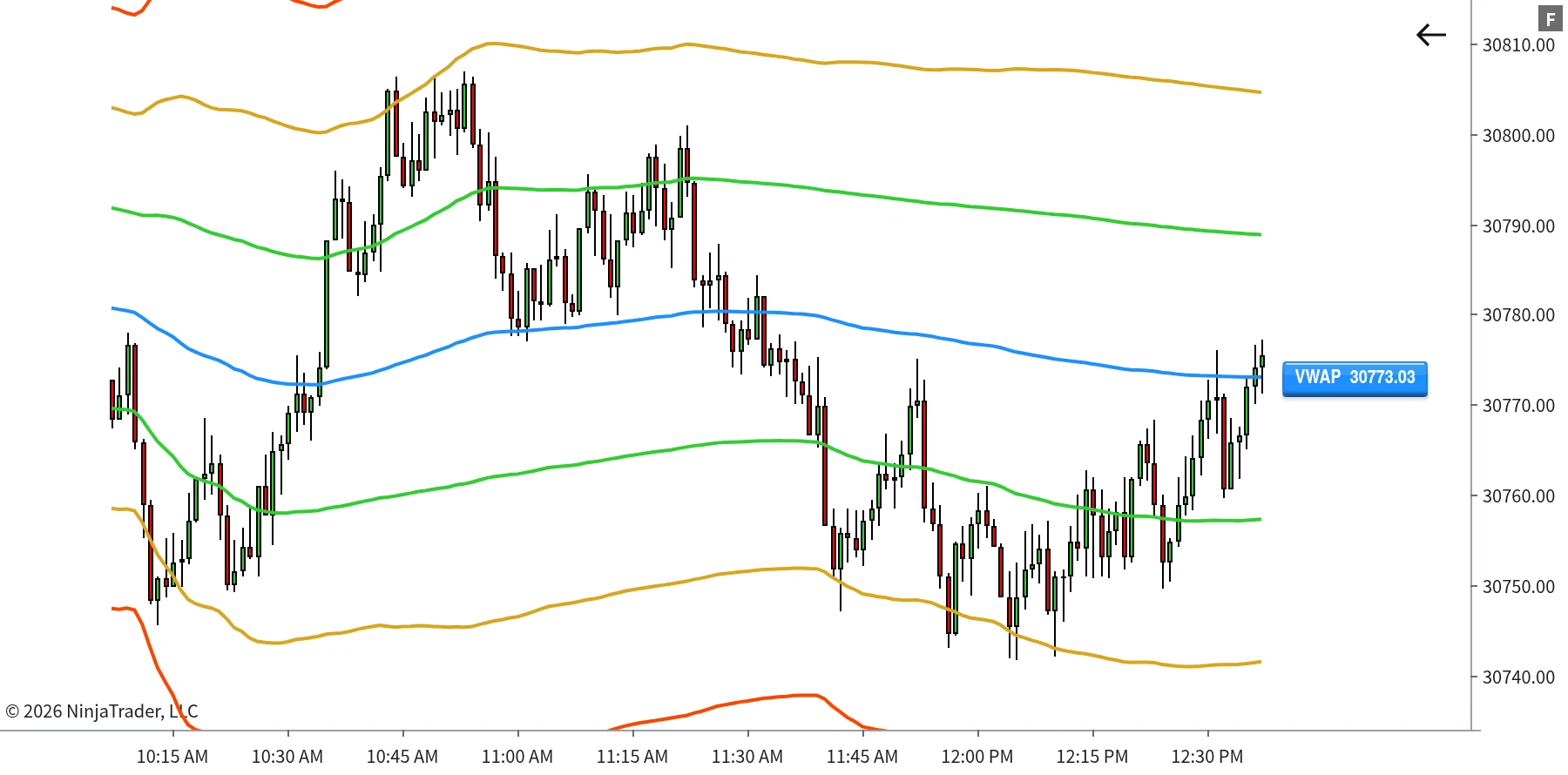
Up to four anchors, not oneMost VWAP tools reset once, at the regular session open. VWAP+ gives you four independent windows, each with its own start and end time.
Six independent bands on topStandard-deviation bands layered over the core calculation, each with its own multiplier, colour, thickness and fill.
Any schedule you tradeA globex open, an hourly reset, a custom intraday anchor. Set the windows and it recalculates from each one.
VWAP+ session VWAP with multiple deviation bands plotted on a NinjaTrader 8 chart
A session VWAP with deviation bands enabled, each one styled independently.
Features

Four sessions, six bands, all yours

Nothing renders unless you turn it on, and everything that does is styled independently.
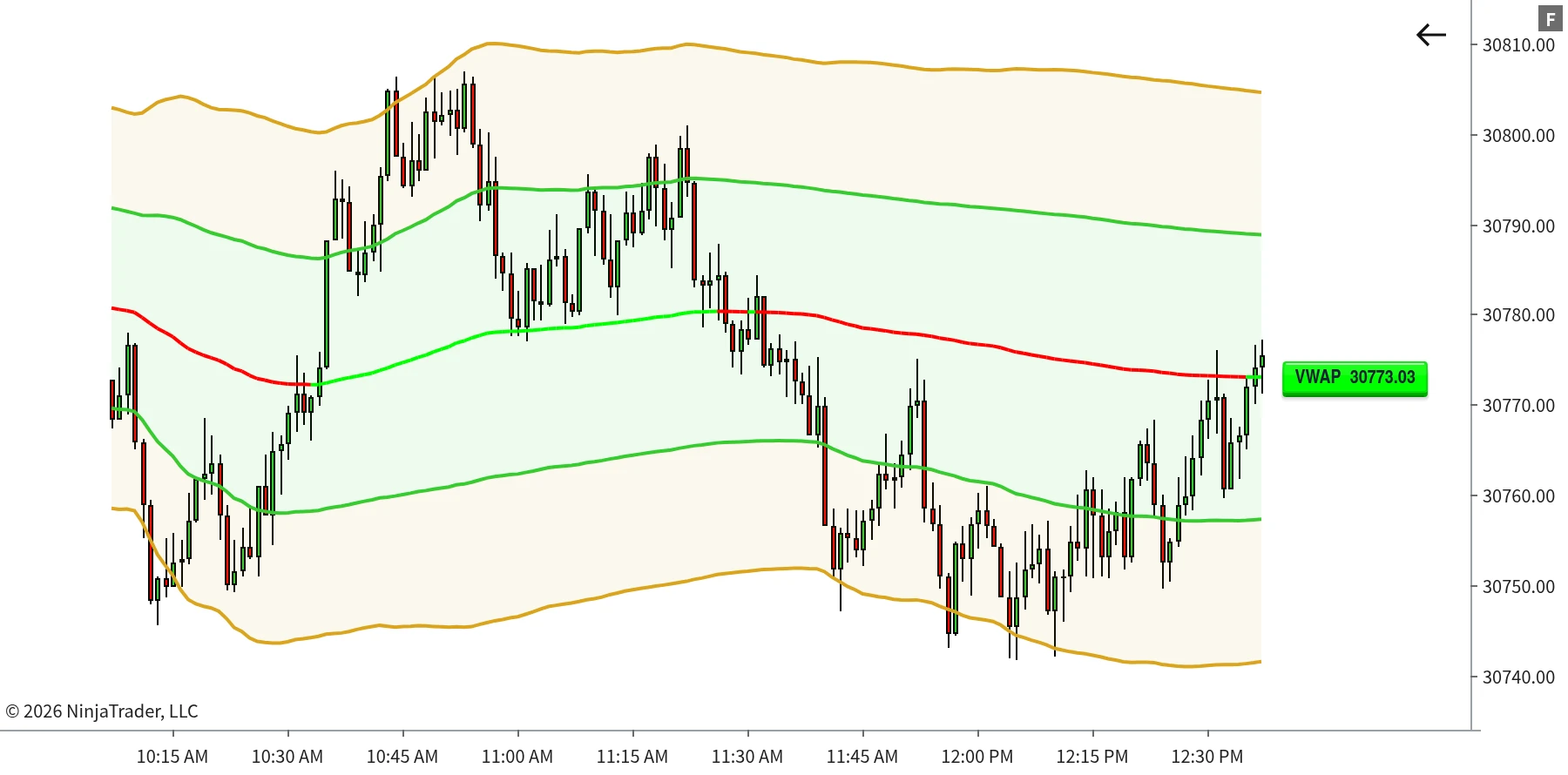
Bands you can actually tell apartEvery band colour, line thickness, fill on/off and fill opacity is set on its own, so band 1 can look nothing like band 6.
Multipliers you chooseEach band defaults to the whole-number convention, 1 through 6, and can be retuned to any value you prefer.
Verified across day boundariesVWAP, its bands and the underlying cumulative price/volume maths are checked to recalculate cleanly across session boundaries and multiple trading days.
VWAP+ deviation bands with independent colours, thickness and fill opacity
Per-band colour, thickness, fill and opacity, so each envelope reads differently at a glance.
Every control, independent
Set each band on its own, or leave it switched off
Band on/offDeviation multiplierLine colourLine thickness Fill on/offFill opacityVWAP line colourDynamic bull/bear colouring Prior-session lineSession start timeSession end timeFour session slots
Signature Feature

Multi-Session Anchoring

One VWAP indicator covering the regular day, the overnight open, and whatever else you trade around.
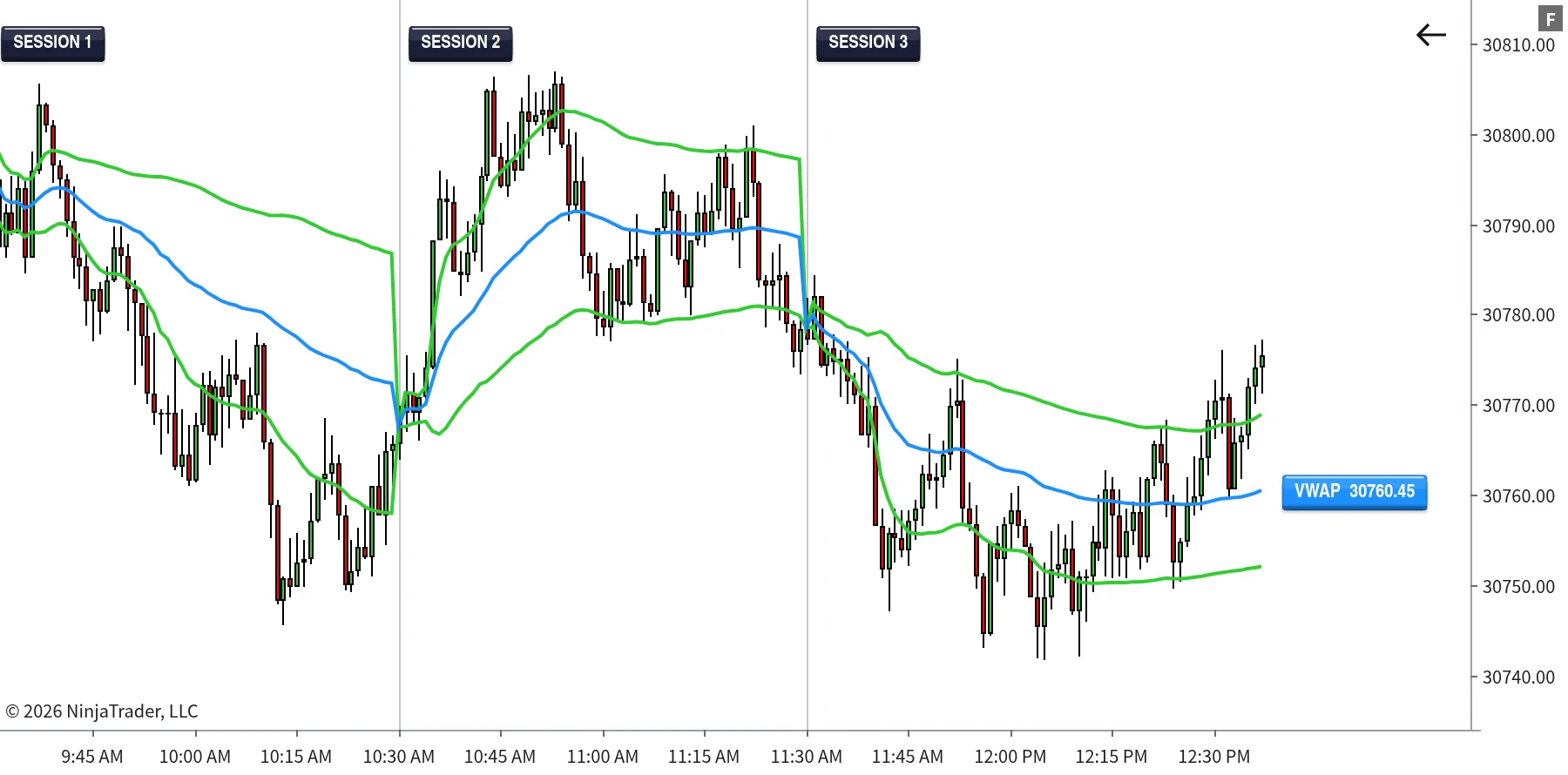
Four slots, four schedulesSession 1 for the regular trading day, Session 2 for the overnight globex open, 3 and 4 for whatever intraday windows you work.
Plain start and end timesEach window is just a start and an end, not a fixed session template, so you are never limited to what the platform ships with.
Dynamic bull/bear colouringOptionally recolour the VWAP line in real time by whether price is trading above or below it, for an instant read without checking the axis.
VWAP+ with multiple session windows anchoring separate VWAP calculations through the day
Separate windows anchoring their own VWAP, handing off automatically as the day moves through them.
How It's Built

Custom Anchoring, Not a Fixed Reset

Most VWAP tools give you one anchor, and that is the only place the calculation ever resets.
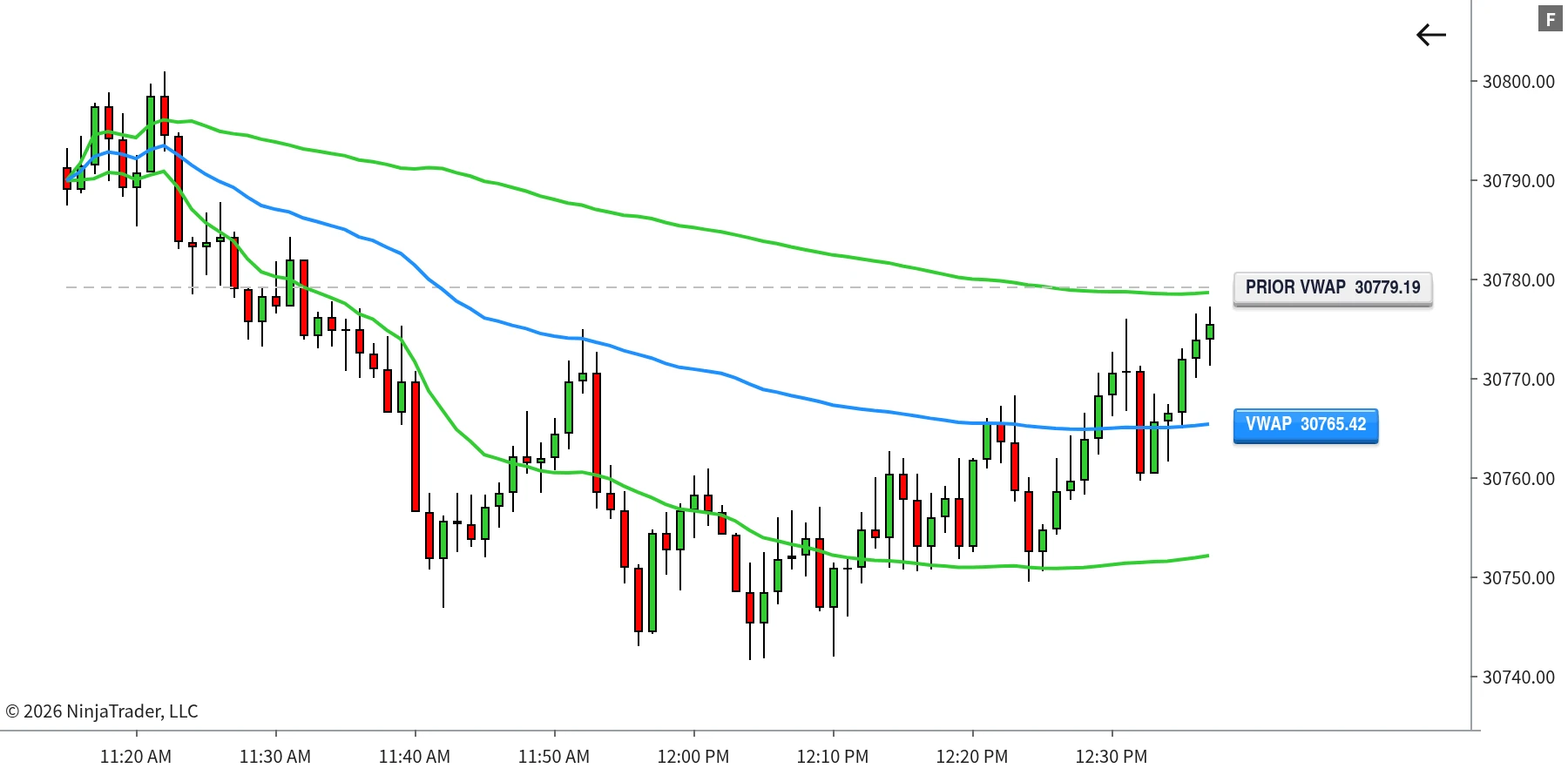
VWAP+ prior-session reference line plotted through the current session
The previous session closing VWAP carried through as a flat dashed reference line.
Standard maths at the coreCumulative price times volume divided by cumulative volume, recalculated on every bar. The anchoring is what changes, not the calculation.
Holds flat, never driftsOutside every enabled window VWAP sits at its last calculated value instead of wandering or erroring out.
A prior-session referenceOptionally plot the final VWAP value from the previous session as a flat dashed line through the current one.
Built For

Who it is for

Traders who anchor VWAP to something other than the default session, and want full control over how every band looks.

You do not trade the default sessionGlobex opens, hourly resets, a custom intraday schedule. Set the windows to match how you actually trade.
You run more than one anchorFour independent slots in one indicator, handing off automatically, instead of stacking multiple VWAP instances on a chart.
You want bands you can read apartSix of them, each with its own multiplier, colour, thickness, fill and opacity.
You like a clean chart by defaultOnly the main line ships enabled. Everything else stays off until you decide you want it.
You compare against yesterdayAn optional prior-session VWAP line carried through the current session as a reference.
You are on NinjaTrader 8, any feedVWAP+ calculates from standard OHLCV bar data. No CME Level 1 data and no Tick Replay required.
Requirements

Requirements

Runs on NinjaTrader 8. VWAP+ calculates from standard OHLCV bar data, so it works on any chart and data feed NinjaTrader supports. No CME Level 1 data or Tick Replay is required.

The Suite

The Full TrackTicks Suite

VWAP+ is one part of the full order flow suite. All four indicators are included in a single subscription.

New to order flow terms like Delta, Point of Control, or Footprint charts? See the glossary →

Disclaimer

TrackTicks VWAP+ is a charting and data-visualization tool. It does not generate buy or sell signals, does not predict future price movement, and is not a substitute for your own analysis, judgment, or risk management. Accuracy of the calculation depends entirely on the completeness and timeliness of the bar data supplied by your NinjaTrader connection, data feed, and broker.

Trading futures carries a substantial risk of loss and is not suitable for everyone. See the full site disclaimer for complete terms.


Works With
TrackTicks Support Usually replies within 24 hours
Have a question about setup, billing, or an indicator? Send us an email and we'll get back to you.
Email Us support@trackticksindicators.com